
Download Lyrical – My Photo Lyrical Video Status Maker, photo video maker, video status maker, lyric video maker, Android app, free video maker, social media video tool, photo to video, video maker for Instagram, video maker for WhatsApp, video maker for Facebook
Overview
Lyrical, developed by Weekends, is a free Android application designed to help users create personalized lyrical video status content for social media platforms. The app enables users to transform static photos into dynamic video experiences by combining custom messages, music, backgrounds, and visual frames. It is tailored for individuals who want to express themselves creatively through short-form video content, particularly on platforms like Instagram, WhatsApp, and Facebook. The software simplifies the process of video creation by integrating essential tools into a single, intuitive interface.
Target users include social media enthusiasts, content creators, and casual users seeking an easy way to produce visually engaging video statuses. The app supports both photo selection from the device gallery and on-the-spot capture using the mobile camera, offering flexibility in content input. Users can customize various elements such as text overlays, background themes, music tracks, and photo frames to suit their personal style. The ability to add voice recordings further enhances personalization. While specific technical details about performance or advanced editing features are not provided, the app’s core purpose remains focused on accessibility and ease of use.
Key Features & Capabilities
- Photo-to-Video Conversion – Users can convert any image from their gallery or capture a new one to create a video status, enabling quick content generation.
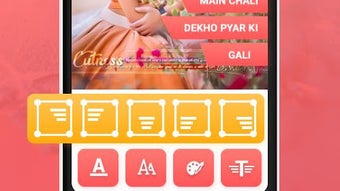
- Customizable Text Messages – Add personalized messages with adjustable positioning, fonts, and timing to match the rhythm of the music.
- Music Integration – Import custom music tracks or select from built-in audio options to synchronize with visual elements.
- Frame and Shape Selection – Choose from a variety of photo frames or shapes to enhance visual appeal and create unique video styles.
- Background Customization – Apply custom backgrounds to complement the main image and music, improving overall aesthetic quality.
- Voice Recording Feature – Add personal voice messages directly within the app to include spoken words in the video status.
- Direct Social Media Sharing – Save the final video and share it instantly across major social platforms without additional steps.
These features support real-world use cases such as creating birthday tributes, romantic messages, event highlights, or promotional content for personal branding. The workflow is streamlined for users who want minimal effort and maximum impact, making it ideal for quick, expressive posts. The app’s focus on simplicity suggests it is optimized for users who prioritize speed and visual appeal over advanced editing tools.
User Interface, Workflow & Performance
The user interface of Lyrical appears to be designed with simplicity in mind, prioritizing ease of navigation and accessibility for non-technical users. The layout likely follows a step-by-step workflow: select photo → choose music → apply frame → add text → record voice (optional) → preview → save/share. This linear structure reduces cognitive load and supports rapid content creation. Navigation between elements is expected to be intuitive, with clearly labeled buttons and visual feedback during each stage.
Workflow efficiency is enhanced by the integration of multiple editing functions within a single environment. Users can adjust text, music, and visual elements in real time without switching between tools. The app’s performance is not detailed in the provided information, but based on its 25.6 MB size and focus on basic video rendering, it likely operates smoothly on mid-range Android devices. The developer did not specify resource usage details, so actual CPU or RAM behavior remains unknown. Stability during video rendering and export is assumed to be consistent given the app’s lightweight footprint and targeted use case.
Compatibility & System Requirements
Lyrical is designed for Android devices and is available as a downloadable app from the Google Play Store. The app’s version is listed as 1.0.0, and it occupies 25.6 MB of storage space upon installation. The developer did not provide additional system requirements, including minimum Android version or hardware specifications. As such, exact compatibility details are limited.
Platform compatibility information is partially provided, with no mention of specific device models, screen resolutions, or processor requirements. Users should consult their device’s system settings to verify if the app is supported. The app’s small file size suggests it is optimized for a broad range of Android devices, including those with lower storage capacity. However, performance may vary depending on the device’s processing power and available memory.
Pros and Cons
Pros
- Free to download and use with no hidden costs.
- Simple, intuitive interface ideal for beginners and casual users.
- Supports photo selection from gallery or real-time capture via camera.
- Offers customization of text, music, background, and photo frames.
- Includes voice recording for personalized messages.
- Direct export and sharing to major social media platforms.
- Lightweight at 25.6 MB, suitable for devices with limited storage.
Cons
- Exact system requirements and supported Android versions were not specified.
- Limited information on video resolution or export quality.
- No mention of advanced editing tools such as transitions, filters, or effects.
- Performance data, including rendering speed or app stability, was not provided.
- Only available on Android; no support for iOS or desktop platforms.
FAQ Section
Is Lyrical available for iOS devices?
Lyrical is currently available only for Android. The developer did not provide information on iOS compatibility or future platform expansion.
Can I use my own music in Lyrical?
Yes, the app allows users to import custom music tracks from their device’s storage to use as background audio in their video status.
Is Lyrical safe to download and use?
Lyrical is available on the Google Play Store, which provides a secure distribution channel. The app is free and does not require payment or personal data submission during installation.
Does Lyrical require an internet connection?
The app can be used offline after installation. However, access to certain features or updates may require an internet connection.
What type of license does Lyrical use?
Lyrical is distributed as a free application with no licensing restrictions. Users are permitted to download, use, and share the app without additional fees or legal limitations.
Final Thoughts + CTA
Lyrical presents a straightforward solution for Android users seeking to create expressive, personalized video statuses for social media. Its focus on simplicity, combined with essential customization tools like music integration, text overlays, and voice recording, makes it a practical choice for casual creators and social media enthusiasts. While detailed technical specifications are limited, the app’s lightweight design and free access enhance its accessibility. It is particularly well-suited for users who value speed, ease of use, and direct sharing capabilities.
Despite the absence of advanced features and limited system requirement details, Lyrical delivers on its core promise: turning photos into engaging video content with minimal effort. For those looking to enhance their social media presence with creative, short-form videos, this app offers a compelling entry point.
Download Lyrical now





.png)

